GLRM Setup Wizard
Follow these steps to get your device ready
Setup Progress
Step 1 of 4Step 1 of 4
Download the App
Install Geolantis360 on your mobile device to connect with your GLRM
The Geolantis360 app is required to configure and control your GLRM device.
For iOS Devices

Scan with your iPhone camera
For Android Devices

Scan with your Android camera
How to install:
- Scan the QR code above with your device camera
- Or click the store badge to open the app page
- Tap "Install" or "Get" to download the app
- Wait for the installation to complete
- Open the Geolantis360 app
0 of 4 steps completed
Device Versions
Learn about the different GLRM models
GLRM Pro Version
Professional
High-precision pole antenna with 5/8" connection
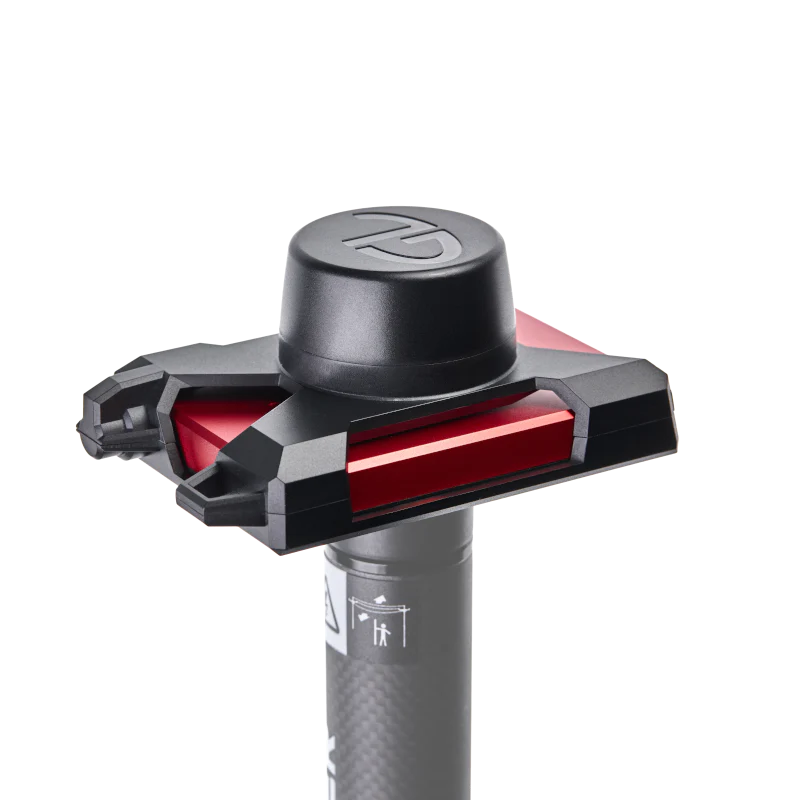
Features:
- 5/8" threaded pole mount connection
- Professional surveying antenna
- Enhanced signal reception
- Ideal for construction and surveying
- Maximum stability on survey poles
Best For:
- Land surveying and mapping
- Construction site measurements
- Professional GIS data collection
- High-accuracy applications
Included Accessories:
- Pole antenna with 5/8" connection
- Protective carrying case
- USB-C charging cable
- Quick start guide
Frequently Asked Questions
Find answers to common setup and troubleshooting questions
Still need help?Contact Support
Support & Resources
Get help and learn more about your GLRM device
Knowledge Base
Comprehensive documentation and guides
Video Tutorials
Step-by-step visual guides
Watch video tutorials covering setup, configuration, and advanced features.
Contact Support
Get help from our support team
Live Chat
Real-time assistance
Chat with our support team for immediate help during business hours.
User Manuals
Downloadable PDF guides
Download comprehensive PDF manuals for offline reference.
Community Forum
Connect with other users
Join discussions, share tips, and learn from experienced GLRM users.