geolantis
powered by PelicanCorp
GLRM
RTK GNSS
Quick Start Guide
Get your GLRM device up and running in 4 simple steps
Estimated time: 5-10 minutes
Step 1
Download App
Get Geolantis360 on iOS or Android
Step 2
Charge & Power ON
Connect USB-C and power up your device
Step 3
First Time Setup
Configure GLRM and NTRIP settings
Step 4
Pair & Start
Connect and begin collecting data
Device Versions
Learn about the different GLRM models
GLRM Pro Version
Professional
High-precision pole antenna with 5/8" connection
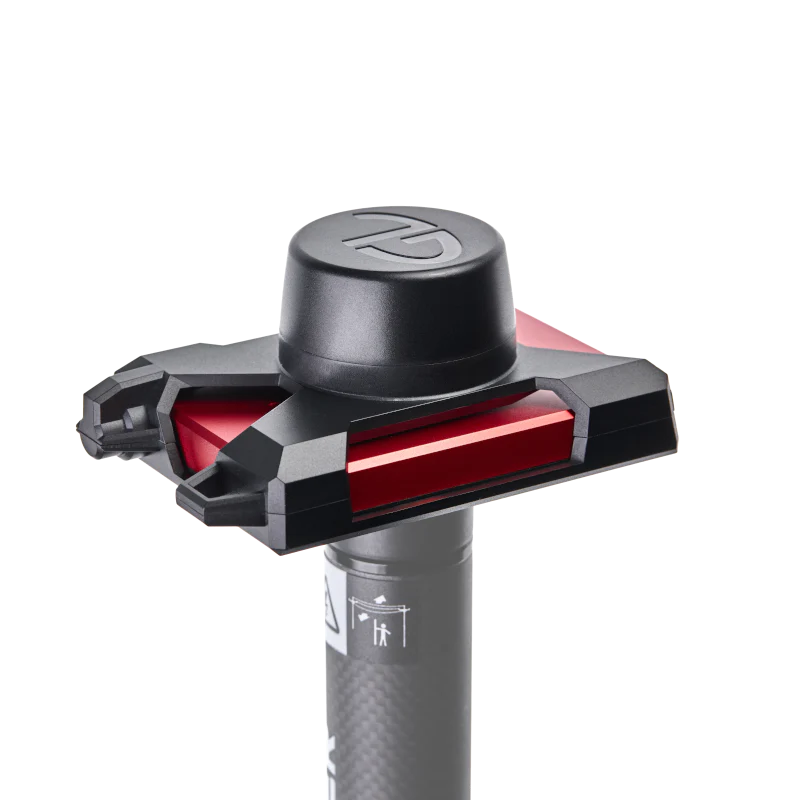
Features:
- 5/8" threaded pole mount connection
- Professional surveying antenna
- Enhanced signal reception
- Ideal for construction and surveying
- Maximum stability on survey poles
Best For:
- Land surveying and mapping
- Construction site measurements
- Professional GIS data collection
- High-accuracy applications
Included Accessories:
- Pole antenna with 5/8" connection
- Protective carrying case
- USB-C charging cable
- Quick start guide